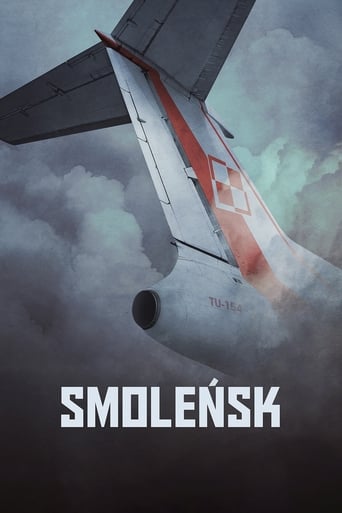
Smolensk

Engelske undersættelser Smolensk (2016)

Drama Thriller
2.5 / 10

Inspired by true events of 2010 Polish Air Force Tu-154 crash in Smolensk, the film tells the partially fictional story of crash and various people affected by the tragedy. The protagonist is a journalist Nina, who refuses to accept the official version of the story and pursues her own independent investigation.

Runtime 115 min
Language PL
Country Poland
Director Antoni Krauze
Budget $3M
Handling

Et gribende drama med stærke præstationer og dybe følelser.

0 English subtitles available

No subtitles found

We could not find English subtitles for this title. Try searching for a different version.

Smolensk — Cast & Crew

Directed by: Antoni Krauze

Beata Fido Nina
Aldona Struzik Generałowa
Lech Łotocki Prezydent
Halina Łabonarska Matka Niny
Dominika Figurska Wdowa smoleńska
Maciej Góraj Ojciec Niny
Ewa Dałkowska Żona Prezydenta
Marek Probosz Przyjaciel ojca Niny
Marek Bukowski pilot
Piotr Bajor Szef gabinetu prezydenta

Languages Spoken in Smolensk (2016)

Smolensk features dialogue in English, Polish, Russian. With multiple languages spoken throughout the movie, having reliable English subtitles ensures you can follow every scene regardless of the language being spoken on screen. Multi-language movies often switch between languages without warning, making subtitles essential for a complete viewing experience.

Download English Subtitles for Smolensk (2016)

This page lists all available English subtitle files for the movie Smolensk (2016) in .SRT format. We currently have 0 subtitle versions sourced from OpenSubtitles, SubDL, and Podnapisi. Each version corresponds to a different video release, so you can find the subtitle that synchronises perfectly with your file.

About Smolensk (2016)

Inspired by true events of 2010 Polish Air Force Tu-154 crash in Smolensk, the film tells the partially fictional story of crash and various people affected by the tragedy. The protagonist is a journalist Nina, who refuses to accept the official version of the story and pursues her own independent investigation.

  • Genre: Drama, Thriller
  • Release year: 2016
  • TMDB rating: 2.5 / 10
  • Type: Movie
  • Runtime: 115 minutes
  • Director: Antoni Krauze
  • Spoken languages: English, Polish, Russian
  • Country: Poland
  • IMDB ID: tt6038600

Smolensk is a drama movie released in 2016. Having accurate English subtitles is especially important for drama titles, where fast-paced dialogue and intense scenes can make spoken lines difficult to catch.

Trivia & Fun Facts about Smolensk (2016)

  • The production budget for Smolensk was approximately $3 million.
  • Produced by Picaresque</strong>, <strong>Wytwórnia Filmów Dokumentalnych i Fabularnych</strong>, <strong>Non Stop Film Service.
  • The movie features dialogue in 3 different languages: English, Polish, Russian.
  • The original language of Smolensk is English, not English.
Themes & Topics: journalist conspiracy theory crash

How to Add English Subtitles to Smolensk

  1. Find your release version – Check the filename of your Smolensk video file. It usually contains the source (BluRay, WEB-DL, HDTV) and release group name.
  2. Download the matching .SRT – In the table above, locate the subtitle whose release name matches your video and click the download button.
  3. Rename the subtitle file – Rename the downloaded .SRT file so it has the exact same name as your video file (e.g. smolensk.srt).
  4. Place both files together – Move the .SRT into the same folder as the video.
  5. Open in your media player – Launch the video in VLC, Kodi, Plex, MPC-HC, PotPlayer, or Infuse. The subtitles will load automatically.

Best Media Players for Smolensk Subtitles

Any media player that supports external .SRT files will work with the subtitles on this page. Here are the most popular options:

  • VLC Media Player – Free, open-source, and available on Windows, Mac, Linux, Android, and iOS. Drag and drop the .SRT file onto the player window or use Subtitle > Add Subtitle File. Press G/H to adjust timing on the fly.
  • Kodi – Ideal for home theatre setups. Place the .SRT in the same folder as the video and Kodi loads it automatically.
  • Plex – Name the .SRT file identically to the video and place it in the same directory. Plex detects it and offers it as a selectable subtitle track.
  • MPC-HC / MPC-BE – Lightweight Windows players with excellent subtitle rendering. Supports .SRT auto-loading and manual delay adjustments.
  • Infuse (Apple TV / iOS) – Automatically picks up .SRT files stored alongside your videos on network shares or cloud storage.

Frequently Asked Questions about Smolensk (2016) Subtitles

Where can I download English subtitles for Smolensk?

You can download free English subtitles for Smolensk (2016) right here on engelskeundersaettelser.com. We have 0 subtitle versions available from sources like OpenSubtitles, SubDL, and Podnapisi. Simply choose the version that matches your video release and click the download button.

Are the Smolensk subtitles free to download?

Yes, absolutely. Every English subtitle for Smolensk on our website is 100% free. There is no registration, no subscription, and no hidden fees.

Which Smolensk subtitle file should I choose?

Look at the Release column in the subtitle table above and match it to the release version of your video file. Common indicators include the video source (BluRay, WEB-DL, HDTV, DVDRip) and the release group name. If you are not sure which version you have, choose the subtitle with the highest download count.

The Smolensk subtitles are out of sync with my video. How do I fix it?

Subtitle timing issues usually occur when the subtitle was created for a different video release. Try these solutions:

  • Download a different subtitle version from the table above that matches your specific release
  • Adjust the subtitle delay in your player: in VLC, press G (delay) or H (advance) to shift subtitles by 50ms per press
  • Use free tools like Subtitle Edit or SubSync to automatically re-synchronise the .SRT file to your video

Can I use these subtitles on my smart TV?

Yes. Download the .SRT file and save it on a USB drive or network-attached storage in the same folder as your Smolensk video file. Rename the .SRT to match the video filename exactly. Most smart TVs will detect and display the subtitles automatically.

What is the .SRT subtitle format?

SRT (SubRip Text) is the most widely used subtitle format in the world. It is a simple text file containing numbered entries with timestamps and dialogue text. The .SRT format is supported by virtually every media player, smart TV, streaming device, and video editing tool.