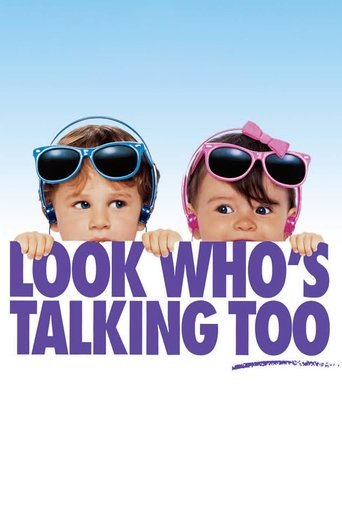
Look Who's Talking Too

Engelske undersættelser Look Who's Talking Too (1990)

Mikey’s back and about to face his greatest challenge… his new sister.

Romance Comedy
5.5 / 10

Mollie and James are together and raising a family, which now consists of an older Mikey and his baby sister, Julie. Tension between the siblings arises, and as well with Mollie and James when Mollie's brother Stuart moves in. Mikey is also learning how to use the toilet for the first time.

Runtime 81 min
Language EN
Country United States of America
Director Amy Heckerling
Budget $12M
Box Office $121M
Handling

En morsom film med fantastiske præstationer og sjove øjeblikke.

4 English subtitles available
Release Source Downloads Flags Download
Look.Whos.Talking.Too.1990.1080p.WEBRip.DD2.0.x264-NTb opensubtitles 10,871 .SRT
Look.Whos.Talking.Too.1990.1080p.AMZN.WEB-DL.DDP2.0.H.264-ETHiCS opensubtitles 2,379 .SRT
Look.Whos.Talking.Too.1990.WS.DVDRip.XViD.iNT-EwDp opensubtitles 11,211 .SRT
Look.Whos.Talking.Too.1990.720p.WEB-DL.AAC2.0.H.264-BS opensubtitles 5,732 .SRT

Look Who's Talking Too — Cast & Crew

Directed by: Amy Heckerling

John Travolta James
Kirstie Alley Mollie
Olympia Dukakis Rosie
Elias Koteas Stuart
Twink Caplan Rona
Bruce Willis Mikey (voice)
Roseanne Barr Julie (voice)
Damon Wayans Eddie (voice)
Gilbert Gottfried Joey
Mel Brooks Mr. Toilet Man (voice)

Languages Spoken in Look Who's Talking Too (1990)

Look Who's Talking Too features dialogue in English. English subtitles remain valuable for non-native English speakers, viewers in noisy environments, people who are deaf or hard of hearing, and anyone who prefers to read along with the dialogue for better comprehension.

Download English Subtitles for Look Who's Talking Too (1990)

This page lists all available English subtitle files for the movie Look Who's Talking Too (1990) in .SRT format. We currently have 4 subtitle versions sourced from opensubtitles. Each version corresponds to a different video release, so you can find the subtitle that synchronises perfectly with your file.

The most popular subtitle for Look Who's Talking Too has been downloaded 11,211 times, which is a strong indicator of quality and timing accuracy.

About Look Who's Talking Too (1990)

Mollie and James are together and raising a family, which now consists of an older Mikey and his baby sister, Julie. Tension between the siblings arises, and as well with Mollie and James when Mollie's brother Stuart moves in. Mikey is also learning how to use the toilet for the first time.

  • Genre: Romance, Comedy
  • Release year: 1990
  • TMDB rating: 5.5 / 10
  • Type: Movie
  • Runtime: 81 minutes
  • Director: Amy Heckerling
  • Spoken languages: English
  • Country: United States of America
  • IMDB ID: tt0100050

Look Who's Talking Too is a romance movie released in 1990. Having accurate English subtitles is especially important for romance titles, where fast-paced dialogue and comedic timing and wordplay require precise subtitle synchronisation.

Trivia & Fun Facts about Look Who's Talking Too (1990)

  • The production budget for Look Who's Talking Too was approximately $12 million.
  • Look Who's Talking Too earned approximately $121 million at the worldwide box office.
  • The film earned more than 10 times its production budget, making it a major box office success.
  • Look Who's Talking Too is part of the Look Who's Talking Collection franchise.
  • Produced by TriStar Pictures</strong>, <strong>Big Mouth Productions.
  • Look Who's Talking Too has been rated by 1,463 users on The Movie Database (TMDB).
Themes & Topics: baby sibling relationship pregnancy family woman director

How to Add English Subtitles to Look Who's Talking Too

  1. Find your release version – Check the filename of your Look Who's Talking Too video file. It usually contains the source (BluRay, WEB-DL, HDTV) and release group name.
  2. Download the matching .SRT – In the table above, locate the subtitle whose release name matches your video and click the download button.
  3. Rename the subtitle file – Rename the downloaded .SRT file so it has the exact same name as your video file (e.g. look-whos-talking-too.srt).
  4. Place both files together – Move the .SRT into the same folder as the video.
  5. Open in your media player – Launch the video in VLC, Kodi, Plex, MPC-HC, PotPlayer, or Infuse. The subtitles will load automatically.

Best Media Players for Look Who's Talking Too Subtitles

Any media player that supports external .SRT files will work with the subtitles on this page. Here are the most popular options:

  • VLC Media Player – Free, open-source, and available on Windows, Mac, Linux, Android, and iOS. Drag and drop the .SRT file onto the player window or use Subtitle > Add Subtitle File. Press G/H to adjust timing on the fly.
  • Kodi – Ideal for home theatre setups. Place the .SRT in the same folder as the video and Kodi loads it automatically.
  • Plex – Name the .SRT file identically to the video and place it in the same directory. Plex detects it and offers it as a selectable subtitle track.
  • MPC-HC / MPC-BE – Lightweight Windows players with excellent subtitle rendering. Supports .SRT auto-loading and manual delay adjustments.
  • Infuse (Apple TV / iOS) – Automatically picks up .SRT files stored alongside your videos on network shares or cloud storage.

Frequently Asked Questions about Look Who's Talking Too (1990) Subtitles

Where can I download English subtitles for Look Who's Talking Too?

You can download free English subtitles for Look Who's Talking Too (1990) right here on engelskeundersaettelser.com. We have 4 subtitle versions available from sources like opensubtitles. Simply choose the version that matches your video release and click the download button.

Are the Look Who's Talking Too subtitles free to download?

Yes, absolutely. Every English subtitle for Look Who's Talking Too on our website is 100% free. There is no registration, no subscription, and no hidden fees.

Which Look Who's Talking Too subtitle file should I choose?

Look at the Release column in the subtitle table above and match it to the release version of your video file. Common indicators include the video source (BluRay, WEB-DL, HDTV, DVDRip) and the release group name. If you are not sure which version you have, choose the subtitle with the highest download count (the top version here has 11,211 downloads).

The Look Who's Talking Too subtitles are out of sync with my video. How do I fix it?

Subtitle timing issues usually occur when the subtitle was created for a different video release. Try these solutions:

  • Download a different subtitle version from the table above that matches your specific release
  • Adjust the subtitle delay in your player: in VLC, press G (delay) or H (advance) to shift subtitles by 50ms per press
  • Use free tools like Subtitle Edit or SubSync to automatically re-synchronise the .SRT file to your video

Can I use these subtitles on my smart TV?

Yes. Download the .SRT file and save it on a USB drive or network-attached storage in the same folder as your Look Who's Talking Too video file. Rename the .SRT to match the video filename exactly. Most smart TVs will detect and display the subtitles automatically.

What is the .SRT subtitle format?

SRT (SubRip Text) is the most widely used subtitle format in the world. It is a simple text file containing numbered entries with timestamps and dialogue text. The .SRT format is supported by virtually every media player, smart TV, streaming device, and video editing tool.