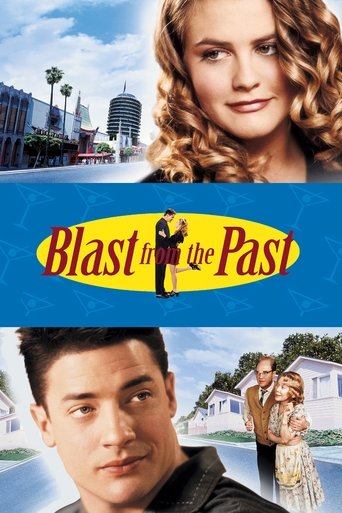
Blast from the Past

Engelske undersættelser Blast from the Past (1999)

She'd never met anyone like him. He's never met anyone... Period.

Drama Romance Comedy
6.8 / 10

Following a bomb scare in the 1960s that locked the Webers into their bomb shelter for 35 years, Adam now ventures forth into Los Angeles to obtain food and supplies for his family, and a non-mutant wife for himself.

Runtime 112 min
Language EN
Country United States of America
Director Hugh Wilson
Budget $35M
Box Office $40M
Handling

En sjov og underholdende komedie med masser af latter.

5 English subtitles available
Release Source Downloads Flags Download
Blast from the Past 1999 BluRay 720p Esub Dual Audio English Hindi GOPI SAHI @ SilverRG-ENGLISH opensubtitles 7,363 .SRT
Blast from the Past (1999) opensubtitles 15,883 .SRT
Blast from the Past (1999) opensubtitles 7,127 .SRT
Blast from the Past (1999) opensubtitles 5,226 .SRT
The.Blast.From.The.Past.[1999].DvdRip.Xvid-Kna opensubtitles 8,602 .SRT

Blast from the Past — Cast & Crew

Directed by: Hugh Wilson

Brendan Fraser Adam
Alicia Silverstone Eve
Christopher Walken Calvin
Sissy Spacek Helen
Dave Foley Troy
Joey Slotnick Soda Jerk
Rex Linn Dave
Deborah Kellner Miss Sweet
Nathan Fillion Cliff
Jenifer Lewis Dr. Aron

Languages Spoken in Blast from the Past (1999)

Blast from the Past features dialogue in Latin, English, French, German. With multiple languages spoken throughout the movie, having reliable English subtitles ensures you can follow every scene regardless of the language being spoken on screen. Multi-language movies often switch between languages without warning, making subtitles essential for a complete viewing experience.

Download English Subtitles for Blast from the Past (1999)

This page lists all available English subtitle files for the movie Blast from the Past (1999) in .SRT format. We currently have 5 subtitle versions sourced from opensubtitles. Each version corresponds to a different video release, so you can find the subtitle that synchronises perfectly with your file.

The most popular subtitle for Blast from the Past has been downloaded 15,883 times, which is a strong indicator of quality and timing accuracy.

About Blast from the Past (1999)

Following a bomb scare in the 1960s that locked the Webers into their bomb shelter for 35 years, Adam now ventures forth into Los Angeles to obtain food and supplies for his family, and a non-mutant wife for himself.

  • Genre: Drama, Romance, Comedy
  • Release year: 1999
  • TMDB rating: 6.8 / 10
  • Type: Movie
  • Runtime: 112 minutes
  • Director: Hugh Wilson
  • Spoken languages: Latin, English, French, German
  • Country: United States of America
  • IMDB ID: tt0124298

Blast from the Past is a drama movie released in 1999. Having accurate English subtitles is especially important for drama titles, where fast-paced dialogue and nuanced conversations carry the emotional weight of the story.

Trivia & Fun Facts about Blast from the Past (1999)

  • The production budget for Blast from the Past was approximately $35 million.
  • Blast from the Past earned approximately $40 million at the worldwide box office.
  • Produced by Midnight Sun Pictures</strong>, <strong>New Line Cinema</strong>, <strong>Forge.
  • The movie features dialogue in 4 different languages: Latin, English, French, German.
  • Blast from the Past has been rated by 1,198 users on The Movie Database (TMDB).
Themes & Topics: isolation atomic bomb bunker shelter lighthearted blast from the past adoring amused familiar

How to Add English Subtitles to Blast from the Past

  1. Find your release version – Check the filename of your Blast from the Past video file. It usually contains the source (BluRay, WEB-DL, HDTV) and release group name.
  2. Download the matching .SRT – In the table above, locate the subtitle whose release name matches your video and click the download button.
  3. Rename the subtitle file – Rename the downloaded .SRT file so it has the exact same name as your video file (e.g. blast-from-the-past.srt).
  4. Place both files together – Move the .SRT into the same folder as the video.
  5. Open in your media player – Launch the video in VLC, Kodi, Plex, MPC-HC, PotPlayer, or Infuse. The subtitles will load automatically.

Best Media Players for Blast from the Past Subtitles

Any media player that supports external .SRT files will work with the subtitles on this page. Here are the most popular options:

  • VLC Media Player – Free, open-source, and available on Windows, Mac, Linux, Android, and iOS. Drag and drop the .SRT file onto the player window or use Subtitle > Add Subtitle File. Press G/H to adjust timing on the fly.
  • Kodi – Ideal for home theatre setups. Place the .SRT in the same folder as the video and Kodi loads it automatically.
  • Plex – Name the .SRT file identically to the video and place it in the same directory. Plex detects it and offers it as a selectable subtitle track.
  • MPC-HC / MPC-BE – Lightweight Windows players with excellent subtitle rendering. Supports .SRT auto-loading and manual delay adjustments.
  • Infuse (Apple TV / iOS) – Automatically picks up .SRT files stored alongside your videos on network shares or cloud storage.

Frequently Asked Questions about Blast from the Past (1999) Subtitles

Where can I download English subtitles for Blast from the Past?

You can download free English subtitles for Blast from the Past (1999) right here on engelskeundersaettelser.com. We have 5 subtitle versions available from sources like opensubtitles. Simply choose the version that matches your video release and click the download button.

Are the Blast from the Past subtitles free to download?

Yes, absolutely. Every English subtitle for Blast from the Past on our website is 100% free. There is no registration, no subscription, and no hidden fees.

Which Blast from the Past subtitle file should I choose?

Look at the Release column in the subtitle table above and match it to the release version of your video file. Common indicators include the video source (BluRay, WEB-DL, HDTV, DVDRip) and the release group name. If you are not sure which version you have, choose the subtitle with the highest download count (the top version here has 15,883 downloads).

The Blast from the Past subtitles are out of sync with my video. How do I fix it?

Subtitle timing issues usually occur when the subtitle was created for a different video release. Try these solutions:

  • Download a different subtitle version from the table above that matches your specific release
  • Adjust the subtitle delay in your player: in VLC, press G (delay) or H (advance) to shift subtitles by 50ms per press
  • Use free tools like Subtitle Edit or SubSync to automatically re-synchronise the .SRT file to your video

Can I use these subtitles on my smart TV?

Yes. Download the .SRT file and save it on a USB drive or network-attached storage in the same folder as your Blast from the Past video file. Rename the .SRT to match the video filename exactly. Most smart TVs will detect and display the subtitles automatically.

What is the .SRT subtitle format?

SRT (SubRip Text) is the most widely used subtitle format in the world. It is a simple text file containing numbered entries with timestamps and dialogue text. The .SRT format is supported by virtually every media player, smart TV, streaming device, and video editing tool.